


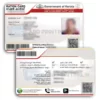
PVC PAN Card: what you get
A PVC PAN Card printed from the e-PAN PDF that you download yourself. Your details are printed exactly as they appear in the PDF. We print it as it is. We do not edit, correct or change any detail. It is a printed copy of your document. We are not the Income Tax Department, Protean (formerly NSDL) or UTIITSL, and we do not issue or change PAN details.
What an e-PAN is
An e-PAN is the digitally signed electronic version of your PAN card, issued by the Income Tax Department. Motilal Oswal and TaxBuddy (2026) both say it is as valid as the physical card, and your PAN number is the same on both. The PDF is usually protected with a password. According to the same articles, the password is your date of birth in DDMMYYYY format, or the date of incorporation for a company. A PVC print is a convenience copy of this file, so if an office asks for your PAN, check what form it will accept.
Three ways to get your e-PAN PDF
1. Income Tax e-filing portal (Instant e-PAN)
This is free. Choose Instant e-PAN, enter your 12-digit Aadhaar number, and confirm the OTP sent to your Aadhaar-linked mobile number. Then download your e-PAN. This works only if your mobile number is linked to your Aadhaar.
2. Protean (formerly NSDL)
- Open the Protean e-PAN page.
- Choose the e-PAN download option and enter your PAN or acknowledgement number, your date of birth and the captcha.
- Verify with the OTP sent to your mobile number or email, and download the PDF.
3. UTIITSL
- Open the UTIITSL website.
- Choose the e-PAN download option and enter your PAN, your date of birth and the captcha.
- Open the link sent to your mobile number or email, enter the OTP, and download the PDF.
The two articles say that Protean and UTIITSL downloads are free within 30 days of your PAN being allotted, and that a small fee applies after that. Fees and rules can change, so follow the wording on the official site. Need more help? Read how to check your PAN card status and download it.
Check these before you order
- Open the PDF with its password and read your name, father’s name, date of birth and PAN number against your original card. We print exactly what is in your file and cannot correct a mistake after printing.
- If a detail is wrong, correct it through the official PAN services first and download a fresh PDF.
- Upload the original PDF, not a screenshot. A flat file keeps the QR code sharp.
How to order
- Download your e-PAN PDF as shown above.
- Add this product to your cart and upload the PDF at checkout.
- We print your card, which usually takes about 72 hours. We try to dispatch it on the same day printing is finished, but the exact dispatch time depends on printing. We ship by Speed Post. At dispatch we send the tracking number and photos of your card to your WhatsApp number.
Card details
| Material | PVC |
|---|---|
| Size | 85.60 mm x 53.98 mm (standard credit card size) |
| UV print | |
| Made by | DM Incorporation, Yavatmal, Maharashtra |
Payment, cancellation and support
Payment is online only. We do not offer cash on delivery. Because every card is printed for you, orders can be cancelled only before printing starts. Read our return, refund and cancellation policy. If your card arrives damaged or misprinted, contact us within 7 days with your order number and photos or an unboxing video, and we will reprint it for free. WhatsApp +91 92846 08837, phone 9284608837, or email care@pvccardprinting.in.
Other cards you may need
See also the PVC Voter ID card and the driving licence PVC card.
| Weight | 0.02 kg |
|---|---|
| Dimensions | 10 × 10 × 2 cm |
| Copies | 1 Copy @ ₹50/per card, 2 Copies @ ₹45/per card, 3 Copies @ ₹40/per card |
Related products
ID Card
Password Protected document